


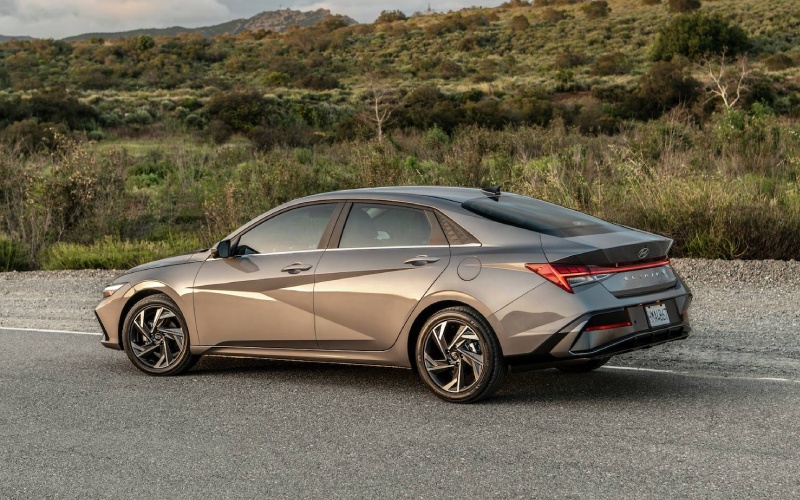
Jones Bel Air Hyundai - Why the 2026 Hyundai ELANTRA’s Dual 10.25-inch Displays Fit Daily Driving around Bel Air, MD
The 2026 Hyundai ELANTRA’s available dual 10.25-inch displays give the compact sedan a clean, polished look—and more importantly, a smarter way to see and control the features you use most. Around Bel Air, MD, where a single errand run can include I-95 stints, stoplights along Belair Road, and a quick parking squeeze downtown, having key information in one seamless view takes stress out of the drive. The layout feels familiar almost instantly, and the graphics are crisp enough to read at a glance, so you keep attention on the road.
Let’s unpack why these displays punch above their weight in this segment. Hyundai pairs a hi-res 10.25-inch touchscreen navigation unit with a fully digital 10.25-inch instrument cluster. The result is a wide, cohesive panel that looks like a single screen from the driver’s seat. Beyond aesthetics, that means navigation prompts, safety alerts, media, and drive data are more legible and logically arranged. The ELANTRA is already known for intuitive controls; this setup makes it feel like second nature, even if you are not a tech enthusiast.
Clearer Info, Less Distraction
When you are dealing with mid-day traffic on US-1 or sliding onto I-695, getting the right info at the right moment matters. The dual-screen arrangement lets you place maps and media on the touchscreen, while the instrument cluster focuses on speed, lane-keeping status, and driver-assist indicators. Because both displays are large and high-contrast, you do not waste time hunting through menus or straining to read small fonts—critical for safe glances rather than extended looks.
This is especially helpful with Hyundai SmartSense features. Lane Keeping Assist and Lane Following Assist status icons are easy to spot on the digital cluster, and the available Highway Driving Assist on Limited keeps you informed about lane centering on longer highway runs. If you frequently drive into Towson or Baltimore, you will appreciate how seamlessly the cluster communicates what the system is doing so you feel in the loop at all times.
Apple CarPlay®, Android Auto™, and Navigation—The Way You Want It
One of the highlights of the 2026 ELANTRA lineup is standard wireless Android Auto™ and Apple CarPlay® on the 8-inch screen. If you choose the available 10.25-inch navigation upgrade, you get a larger, more expansive view of mapping and media. The difference is more than size—there is also room to keep your map up while more comfortably accessing alternate functions. When turning across traffic in downtown Bel Air, a widescreen map at eye level helps you visualize the route and see lane guidance ahead of time.
Because the cluster is also 10.25 inches, you can prioritize the information that matters most to you—trip data, safety prompts, or a simplified layout for night drives. The key is flexibility without clutter. You do not need to memorize layered menus or “learn the car.” Most owners tell us it just clicks within the first day or two because the logic mirrors how you already use your phone or a tablet.
Designed to Feel Premium—Without Feeling Complicated
Design plays a big role in how easy tech is to live with. ELANTRA’s slim, low-glare panel and restrained color palette look upscale and stay legible in varying light. The screen response is snappy, and the UI animations are smooth enough that there is no lag between tap and action. Combined with physical controls for climate and frequently used functions, the dual screens never feel like they get in the way of basics. You still have tactile controls for everyday needs—just with a modern visual layer that simplifies deeper features when you want them.
Pair this with available Bose® Premium Audio and a Qi-compatible wireless charging pad, and you have a cabin that supports your day versus distracting from it. If you shuttle between appointments around Bel Air South and quick trips into Abingdon, the ability to dock your phone, find your playlist, and follow navigation cues from a sweeping, legible display is the kind of little daily luxury you will notice.
How It Helps on Real Bel Air, MD Roads
Driving across Harford County can mean a bit of everything. Morning commutes often call for beltway merges and brisk lane changes; evenings might be a crawl near shopping centers and local restaurants. The dual 10.25-inch displays respond to both. In slow traffic, the larger map view helps you anticipate alternate routes. On the highway, the instrument cluster gives clear visuals for driver-assist features like Lane Following Assist and the available Highway Driving Assist—reassuring cues that help keep things smooth and centered.
Parking near popular spots off Main Street or in tighter lots? The displays’ crisp camera and guidance graphics make it easier to align the vehicle cleanly, and the clear menus reduce time spent figuring out settings or views. It is the difference between “tech-forward” and “tech that actually makes your day easier.”
Who Should Choose the Dual 10.25-inch Displays?
We tend to recommend the upgraded display suite to shoppers who:
- Value clear mapping: Larger, at-a-glance directions help urban and suburban driving
- Use driver assists often: Visual feedback for assist features builds confidence
- Prefer a unified look: The near-seamless screen panel feels premium and modern
- Share the car: Multiple drivers benefit from easy-to-learn, consistent layouts
If you prefer keeping things straightforward, the standard 8-inch screen with wireless Apple CarPlay® and Android Auto™ is an excellent baseline—fast, intuitive, and cable free. That is a big advantage compared to some sedans that still require wires at their entry level. But if you like that extra clarity and polish for navigation and cluster displays, the 10.25-inch pairing is worth it.
Frequently Asked Questions:
Do I lose physical controls if I choose the larger displays?
No—core functions like climate remain easy to access with physical controls. The dual 10.25-inch setup complements these controls with a broader, clearer canvas for maps, safety readouts, and media, rather than replacing knobs and buttons entirely.
Is Bose® Premium Audio tied to the larger screens?
Bose® Premium Audio is available on select trims, including Limited. Many shoppers who enjoy a richer soundstage also choose the dual 10.25-inch displays, but the features can vary by trim. We can walk you through the specific combinations available.
Does the digital cluster make driver assists easier to use?
Yes. The fully digital 10.25-inch cluster presents status icons and alerts for features like Lane Keeping Assist and, on Limited, Highway Driving Assist with greater clarity. Knowing what the system is doing—and when—builds trust and reduces guesswork.
What if I mostly use smartphone navigation?
The standard 8-inch screen already supports wireless Android Auto™ and Apple CarPlay®. If you want a more expansive map view and a cleaner layout for split attention (like maps plus media), the 10.25-inch touchscreen and matching cluster provide more visual headroom.
Is setup complicated?
Not at all. Most drivers get comfortable within a day. Menus are intuitive, and our team can help you customize home screens and cluster views during your delivery appointment so everything is ready before your first Bel Air commute.
At Jones Bel Air Hyundai, we have found that the dual 10.25-inch displays win over shoppers who want modern design and practical clarity without a steep learning curve. When paired with ELANTRA’s balanced ride, available Hyundai SmartSense features, and thoughtful conveniences like a wireless charging pad and Wi-Fi hotspot capability, the upgraded screens help the cabin feel cohesive and confidence-building. It is a simple way to elevate how you move through Bel Air, whether that is Sunday brunch along Main Street or weekday commutes across the Beltway.
If you are comparing trims, we can help you weigh the display upgrade alongside other features you might want—like heated and ventilated front seats, Bose® Premium Audio, or Highway Driving Assist on Limited. We are serving Bel Air, Towson, and Owings Mills, and we are happy to set up a focused test drive that highlights the screen clarity, menu flow, and how navigation cues appear in both the touchscreen and the cluster. Bring your everyday routes and questions—we will show you exactly how the setup fits your life.
Request more 2026 Hyundai Elantra information
Categories:
Hyundai Elantra
