


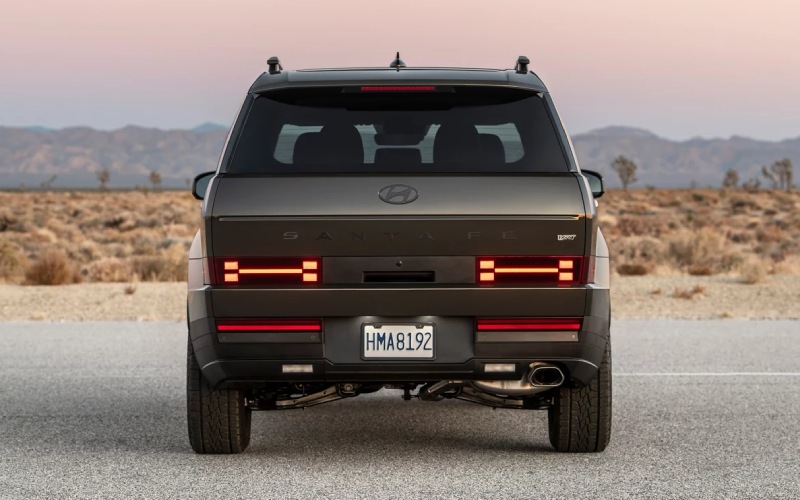
Jones Bel Air Hyundai - Which 2026 Hyundai SANTA FE trims include Highway Driving Assist near Glen Burnie, MD?
If your daily loop runs along I-97, Ritchie Highway, or the Baltimore Beltway, advanced driver-assistance can take the edge off the miles. That is exactly why in-market shoppers ask which 2026 Hyundai SANTA FE trims include Highway Driving Assist—so you know what you will experience on real Glen Burnie commutes before you choose a trim. At Jones Bel Air Hyundai, we will break down where Highway Driving Assist (HDA) and Highway Driving Assist 2 (HDA 2) appear in the lineup, how they work on I-695’s busier stretches, and how the systems pair with other Hyundai SmartSense features you will actually use.
Why this question matters on Glen Burnie roads
Between the morning merge at I-97 and the lane shifts around the Harbor Tunnel approach, staying smoothly centered and following at a consistent gap reduces fatigue and helps you arrive fresher. The 2026 SANTA FE’s suite—Smart Cruise Control (SCC) with Stop & Go, Lane Following Assist (LFA), and Highway Driving Assist—was built for exactly this kind of highway routine. Picking the right trim ensures these assists are available the day you take delivery, without needing to hunt for hard-to-find packages.
Trim availability at a glance
Here is a quick, trim-by-trim snapshot so you can align features with your route from Glen Burnie to BWI, Arundel Mills, or downtown Baltimore.
- SE: Highway Driving Assist is not listed on SE. Standard driver-assists include Lane Following Assist (LFA), Lane Keeping Assist (LKA), Smart Cruise Control (SCC) with Stop & Go, Forward Collision-Avoidance Assist with Pedestrian, Cyclist, and Junction Turning Detection (FCA-JT), Rear Cross-Traffic Collision-Avoidance Assist (RCCA), and Parking Distance Warning - Reverse and Forward.
- SEL: Highway Driving Assist is not listed on SEL. Adds Smart Cruise Control 2 (SCC2) and Forward Attention Warning (FAW) for added awareness, while keeping LFA, LKA, FCA-JT, RCCA, and more.
- XRT: Highway Driving Assist (HDA) is standard. You also get Navigation-based Smart Cruise Control (N-SCC) with Curve Control and HTRAC All Wheel Drive, a useful combo for variable Beltway traffic and on-ramps.
- Limited: Highway Driving Assist (HDA) is standard. You also gain premium confidence tech like Surround View Monitor (SVM), Blind-Spot View Monitor (BVM), Remote Smart Parking Assist (RSPA), and N-SCC with Curve Control.
- Calligraphy: Highway Driving Assist 2 (HDA 2) is standard. This top-tier system can assist with lane changes when you signal, and the trim adds features like Blind-Spot Collision-Avoidance Assist (BCA) and Forward Collision-Avoidance Assist Enhancements.
The quick takeaway: choose XRT or Limited for HDA, and Calligraphy for HDA 2. SE and SEL deliver an excellent safety baseline with SCC, LFA, and LKA, but they do not include HDA according to current SANTA FE feature listings.
What Highway Driving Assist actually does on I-97 and I-695
Highway Driving Assist helps maintain a set speed and following distance with Smart Cruise Control while assisting with lane centering using Lane Following Assist. On long stretches of I-97 or the Beltway, HDA can reduce the steering and speed micro-adjustments you would normally make, which is especially welcome around Glen Burnie’s busier merges. You remain responsible for the vehicle—hands on the wheel and eyes on the road at all times—but the system helps smooth the flow.
When traffic slows near exits like MD-2 or MD-10, SCC with Stop & Go can bring your SANTA FE to a stop and resume within a few seconds if the car ahead moves. On XRT, Limited, and Calligraphy, Navigation-based Smart Cruise Control (N-SCC) with Curve Control can use map data to help manage speed through posted speed zones and curves, then return to your set speed as conditions allow.
HDA vs. HDA 2—what changes in feel and function
Both systems aim to make highway driving less fatiguing, but HDA 2 on Calligraphy brings incremental capability. Here is the practical difference you will notice:
- Lane-centering: HDA and HDA 2 assist with centering in your lane using the front-view camera and radar inputs.
- Lane change assist: HDA 2 can assist with lane changes when you signal and conditions are appropriate, adding an extra layer of ease on multi-lane stretches.
- Curve and zone speed logic: With N-SCC, both XRT/Limited and Calligraphy can proactively adjust speed for curves or speed-controlled zones, then resume set speed.
- Availability: HDA is standard on XRT and Limited; HDA 2 is standard on Calligraphy.
No version of HDA is hands-free or self-driving. These are assistive technologies designed to support, not replace, attentive driving. You will see clear prompts and status icons in the 12.3-inch fully digital gauge cluster when systems are ready or engaged.
How to enable the assist smoothly on your first test drive
When you visit us from Glen Burnie, we can demonstrate this on a familiar loop using I-97 and MD-100. If you want the step-by-step overview now, here is how most drivers use it:
- Activate Smart Cruise Control: Press the cruise button on the steering wheel, then set your speed. Adjust following distance to suit traffic.
- Confirm Lane Following Assist: Ensure LFA is on. You will see the lane-centering icon in the instrument cluster when lane detection is available.
- Watch for HDA ready: On XRT, Limited, and Calligraphy, the system will indicate when Highway Driving Assist can engage. Follow the on-screen prompt to activate it.
- Keep hands on the wheel: The system monitors engagement. Apply steering effort as needed and remain attentive to surrounding traffic and signage.
- Use navigation for N-SCC: If your route is set in the available navigation, N-SCC can help manage speed in curves and speed-control zones, then return to your set speed.
In Calligraphy, signaling an intended lane change can prompt HDA 2 assistance when conditions are appropriate. The instrument cluster will confirm when assistance is active. If traffic or road markings are not ideal, simply complete the lane change manually.
Pair it with other SmartSense features you will actually use
The 2026 SANTA FE integrates driver aids that complement HDA on Glen Burnie’s mix of highways and shopping areas:
- Blind-Spot View Monitor (BVM): On Limited and Calligraphy, a live video feed appears in the cluster when you signal—great for multilane traffic on I-695.
- Surround View Monitor (SVM): On Limited and Calligraphy, a 360-degree view helps with tight parking at Marley Station or along Crain Highway.
- Blind-Spot Collision Warning (BCW)/BCA: BCW is standard on most trims; Calligraphy upgrades to BCA, which can assist braking to help avoid a blind-spot lane-change collision.
- Forward Attention Warning (FAW) and Driver Attention Warning (DAW): These features monitor attentiveness and can alert you to refocus if you appear distracted or drowsy.
- Full-display digital rearview mirror: Available to give a clear view behind you via a rear-spoiler camera—handy when cargo blocks your standard mirror.
With Bluelink+, you can also manage certain vehicle functions from your phone, and on trims with dual automatic temperature control you can precondition the cabin before your Beltway run—useful year-round when Maryland weather swings quickly.
Our team can personalize the SANTA FE’s settings—steering feel, driver-assist prompts, cluster layout—so the tech fades into the background while you enjoy the quiet ride and strong 2.5L turbo power on your daily routes.
When you are ready, our product specialists will set up a route from our Bel Air location that mirrors your Glen Burnie commute. We will demonstrate HDA or HDA 2 on real highway segments, walk you through the icons you will see in the 12.3-inch display, and help you compare XRT, Limited, and Calligraphy so you can choose the right balance of comfort and capability. And with our Jones For A Lifetime benefits on every new Hyundai we sell, you will have long-term support after you drive home.
Frequently Asked Questions:
Do I need HTRAC All Wheel Drive to get Highway Driving Assist?
No. HDA comes standard on XRT and Limited, and HDA 2 comes standard on Calligraphy regardless of drivetrain. XRT includes HTRAC All Wheel Drive standard, while Limited and Calligraphy are available with Front-Wheel Drive or HTRAC All Wheel Drive. Choose AWD if you want all-weather traction; it is not a requirement for HDA or HDA 2.
Will Highway Driving Assist work in stop-and-go Beltway traffic?
Yes, when used with Smart Cruise Control (SCC) with Stop & Go. SCC can bring your SANTA FE to a stop and resume within about three seconds if the vehicle ahead moves. You must remain attentive, keep your hands on the wheel, and be prepared to brake or steer at any time.
How is Highway Driving Assist 2 different on Calligraphy?
HDA 2 builds on HDA’s lane-centering and distance-keeping by assisting with lane changes when you signal and conditions allow. It also integrates seamlessly with Navigation-based Smart Cruise Control (N-SCC) with Curve Control to help manage speed through curves and speed-controlled zones.
Will Over-the-Air (OTA) updates improve these aids over time?
OTA updates keep your maps and multimedia current, which can help N-SCC with better route and speed-zone awareness. Core driver-assistance calibrations may require in-dealership updates if Hyundai releases them. Our service team will keep you informed and handle any updates during scheduled visits.
Can I try HDA or HDA 2 before deciding on a trim?
Absolutely. Visit Jones Bel Air Hyundai and we will build a test drive to match your Glen Burnie commute—hop on I-97, merge to I-695, and experience HDA or HDA 2 in real traffic. We will also help you set preferred following distance, lane-centering behavior, and explain every icon you will see in the cluster.
If you are shopping the 2026 Hyundai SANTA FE near Glen Burnie, MD and want highway help that feels natural, XRT and Limited with Highway Driving Assist or Calligraphy with Highway Driving Assist 2 are the trims to focus on. Reach out to our team, and we will guide you through the features that matter on your route—then hand you the keys so you can feel the difference for yourself.
Request more 2026 Hyundai Santa Fe information
Categories:
Hyundai Santa Fe
